
Know what you owe the dog walker
Set each dog's schedule once. Confirm the walks that happened. PawCount keeps the running total.


iPhone, iOS 18 or later.
Built for one job
Not a pet organiser, a habit tracker or a social network. PawCount answers a single question: what does this month's walking cost?
Confirm, don't declare
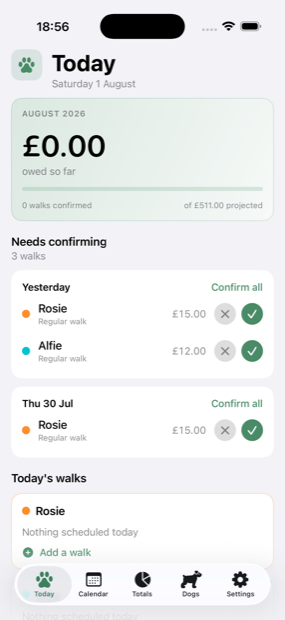
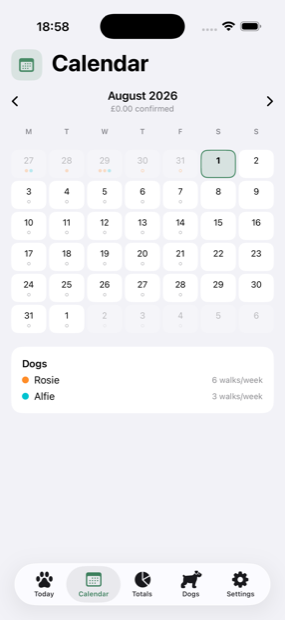
Each dog has a weekly schedule. PawCount turns it into walks that wait for a yes or no, so a normal week takes one tap — and an unusual one is still accurate.
Every dog priced properly
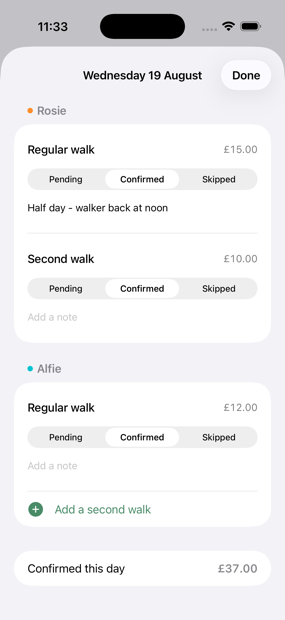
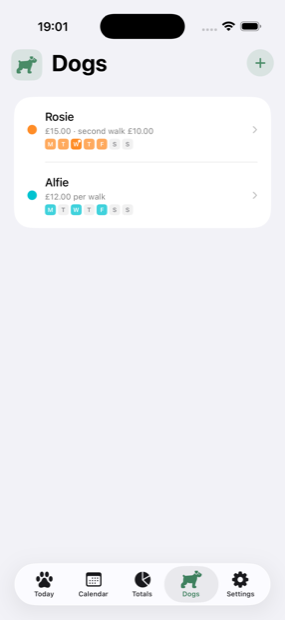
Every dog gets its own colour, schedule and rates: a regular daily walk, and a separate price for a second walk on the same day, because the top-up often costs less. Totals break down per dog, so you can check the invoice line by line.
Billing periods that match the invoice
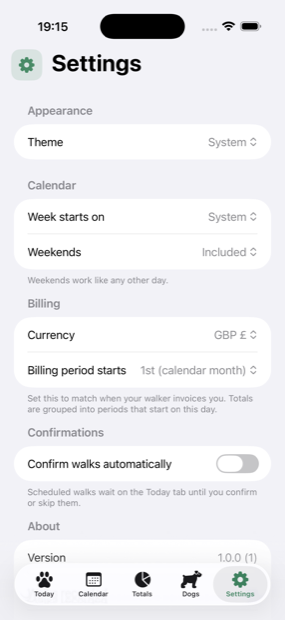
If your walker bills from the 5th, set the period to start on the 5th. Totals group the way you actually pay, not the way the calendar happens to fall.
Joined part-way through
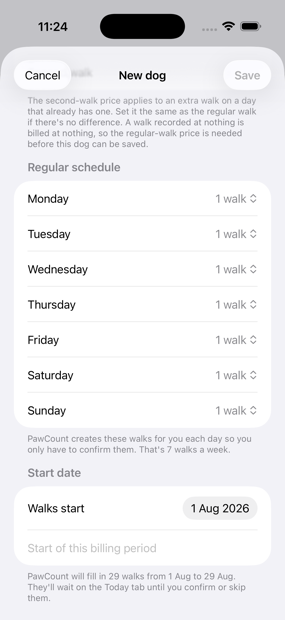
If the walker started before you did, give a dog a start date when you add it — one tap for the beginning of this billing period — and PawCount fills in the walks that already happened. It says how many before you save, and they wait for you to confirm them, because nobody was there to check those days at the time.
Weekends, your way
Include them, stop walks being created on them, or hide the weekend from the calendar and schedules entirely.
Room for what happened
A walk can carry a note — the van broke down, it was a half day, this one was a swap for Tuesday. It travels with the walk onto the statement, so a query a month later is something you wrote down rather than something you have to remember. Walks filled in after the fact are marked as such, so the two of you can tell them from the days that were ticked off at the time.
Prices that stay put
Every walk records what it cost at the time. When your walker puts their prices up, last month's total does not quietly change.
Records that outlive the phone
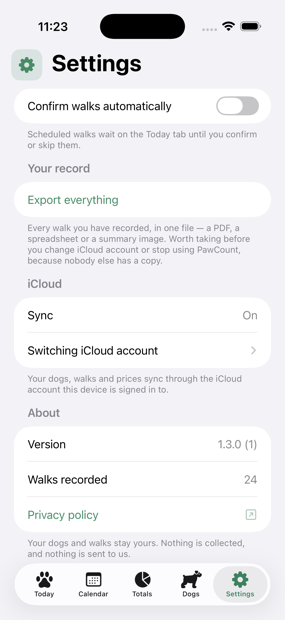
A year of confirmed walks is worth keeping. Yours are kept in your own private iCloud, so losing or replacing an iPhone does not take the record with it — sign in on the new one and it is already there. Nothing to export first, and still no account to create. When you do want a copy outside the app, Settings writes every walk you have ever recorded to a single file.
Something to send
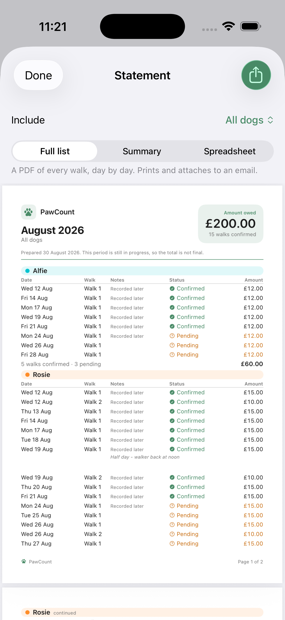
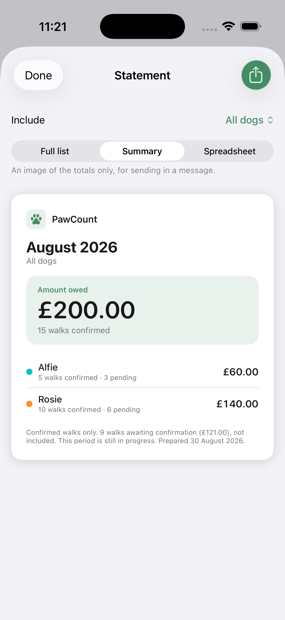
Export any period as a PDF of every walk, day by day, as a summary image for a message, or as a spreadsheet. All the dogs or just one — so a query about the bill is a list you can share, not an argument from memory.
How it works
Three steps, then it mostly runs itself.
- Add your dogs Name, colour, what a walk costs, which days of the week they go out — and, if they were already going out before you installed this, the day to count from.
- Confirm as you go Scheduled walks appear on the Today tab. Tick the ones that happened, skip the ones that didn't.
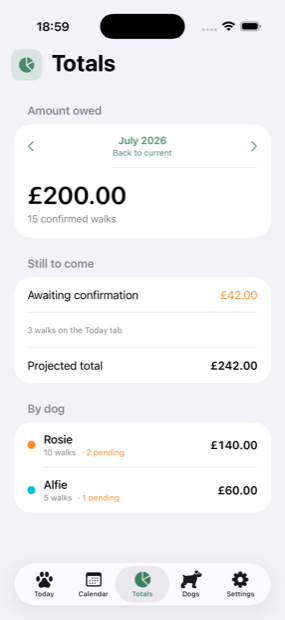
- Check the total See the running total, what’s still to come, and a per-dog breakdown when the invoice arrives. Export the period if you need to send someone the list behind it, or the whole record if you want a copy of everything.
Your data stays yours
There is no account to create and no server to sign in to. Your dogs and walks live on your iPhone and, if you are signed in to iCloud, in your own private iCloud — which is what keeps a year of records from going the way of a lost or replaced phone. Nothing is collected, and nothing reaches us — the only thing that leaves is a statement you choose to export and send yourself.